Your whole school, in one place.
Attendance, grades, report cards and parent messages in one simple system, with a view for your office, teachers, parents and students.
In daily use at Ontario schools. Book 15 minutes with the founder.
Demo school with sample data
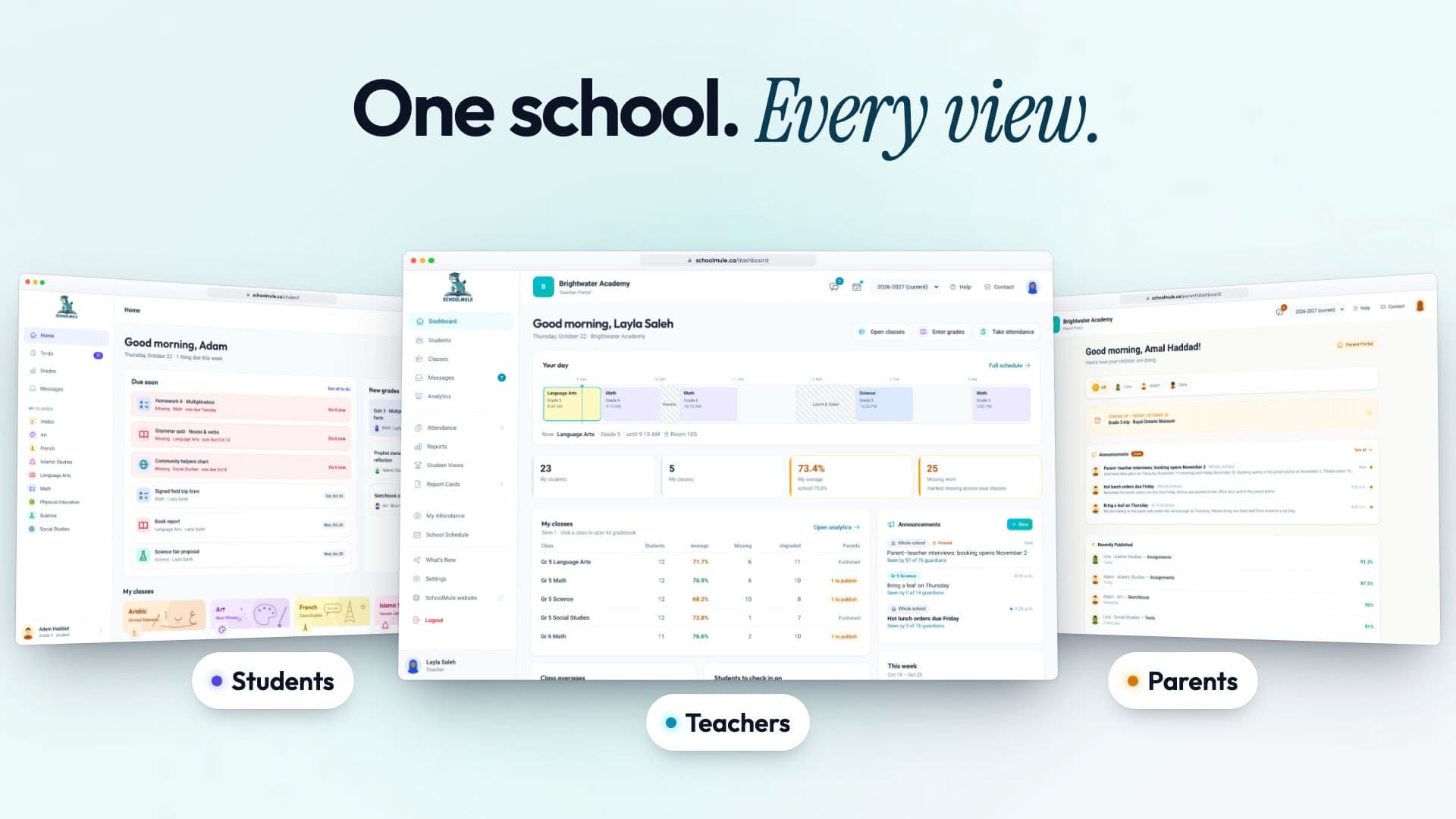
Four views. One set of records.
Everyone works from the same records, so the grade a teacher enters is the grade a parent sees at home.
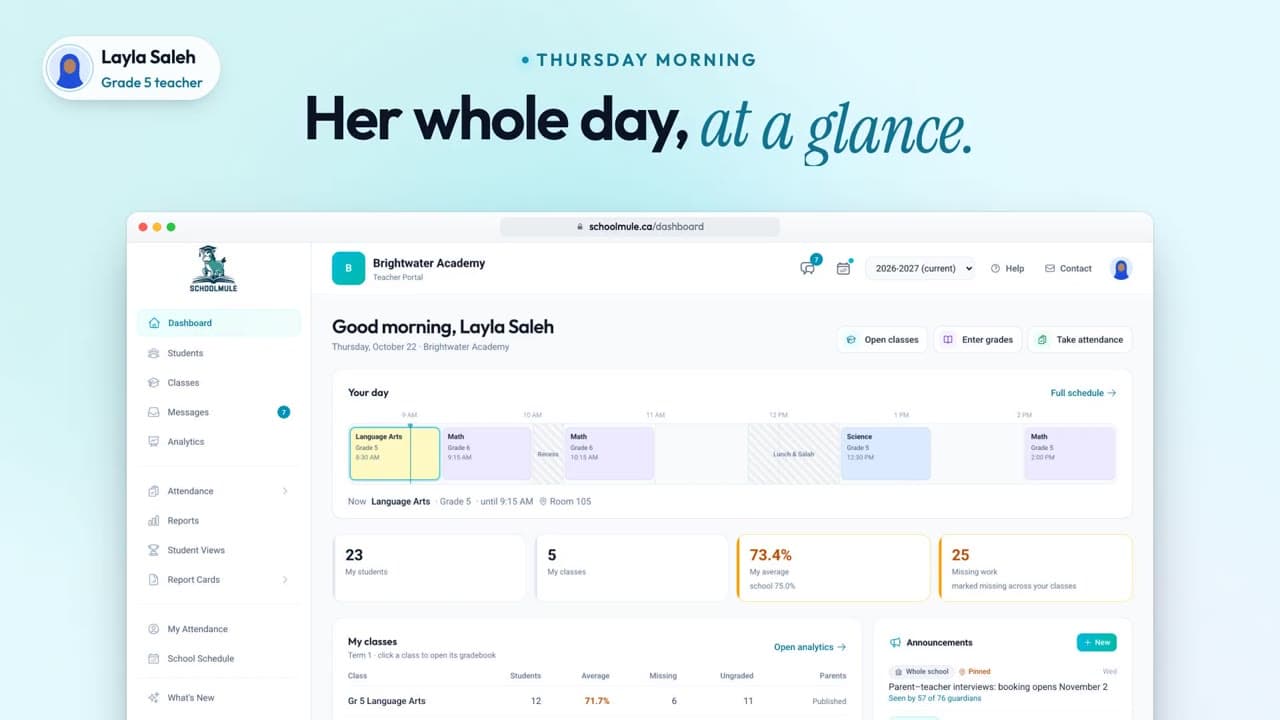
Attendance and grades in minutes, and families told in one click.
- The day at a glance
- Attendance with Mark all present
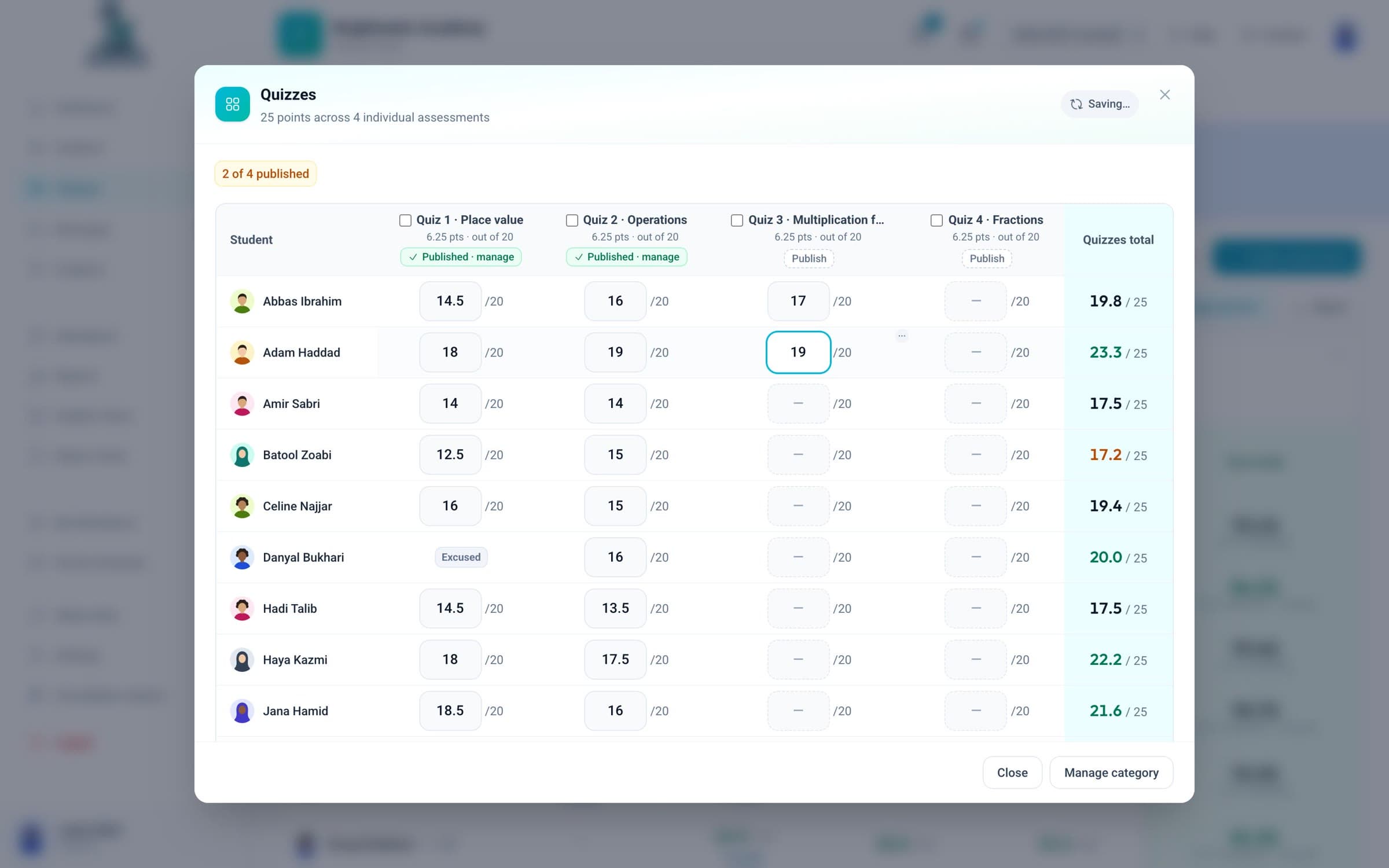
- A gradebook that saves as you type
- Publish & Notify emails each family
From scattered to settled.
Most small schools run on forms, spreadsheets, email and group chats. SchoolMule puts it all on one record for each student.
- FormsRegistration form
- XLSGrades_FINAL_v3.xlsx
- DOCReport card template.docx
- ChatGrade 5 parents
- PaperAttendance binder
- MailInbox, 214 unread
Adam Haddad
Grade 5, homeroom Ms. Saleh
- Math, Quiz 3
- 19 / 20
- Attendance this term
- 34 of 35 days
- Messages with family
- 1 open, about Quiz 3
- Report cards
- Term 1 PDF
- Guardians
- Amal and Karim Haddad
Follow one quiz through the school.
One grade, from the teacher’s gradebook to a student, a parent, and back as a question.
Step 1 of 5
For families
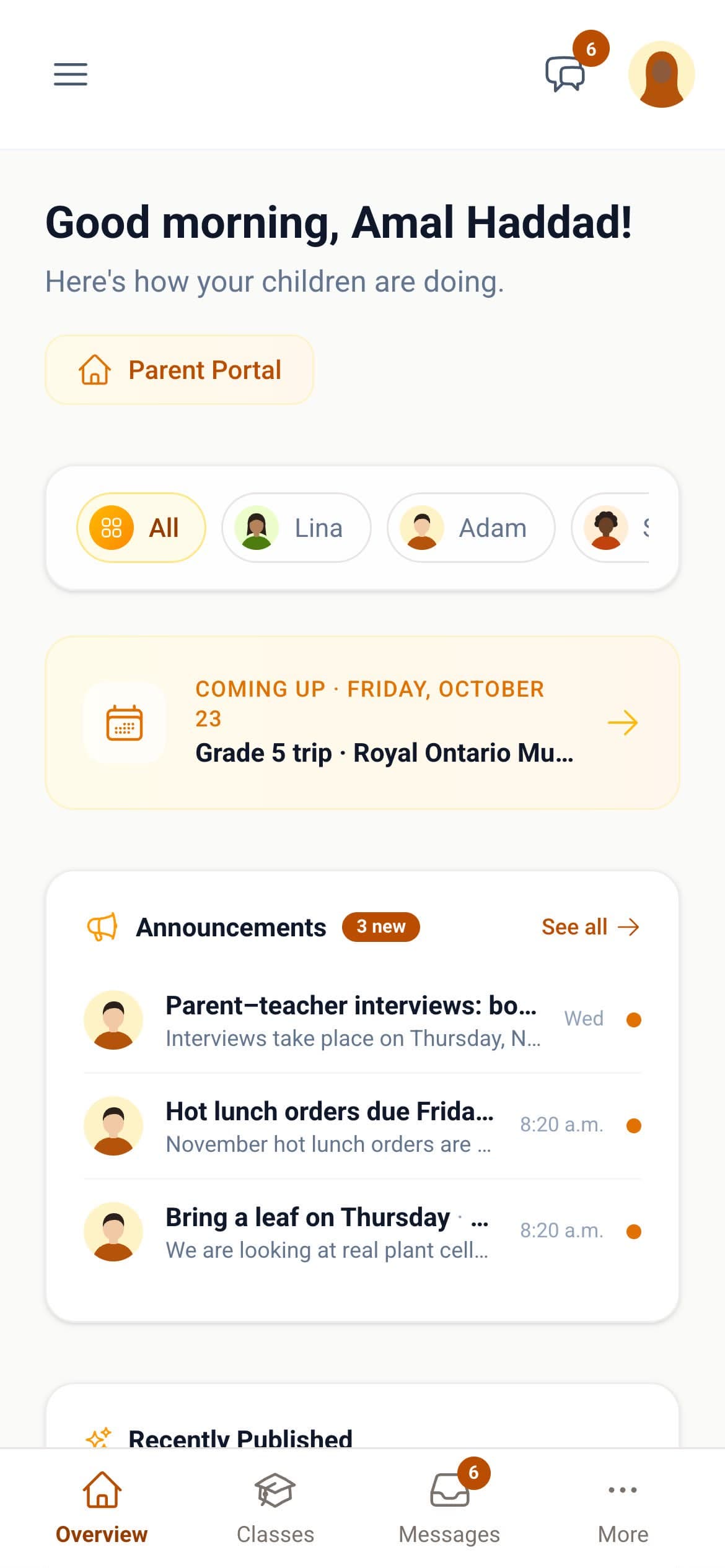
Parents actually use it.
- No app to install
- Families get an email when something is new, and sign in from it with one tap.
- Only their own child
- And only the grades you’ve chosen to publish.
- The week, in a few lines
- A short summary of how their child is doing, written by AI and labelled that way.
- Questions don’t get lost
- If a parent’s message goes unanswered, SchoolMule can remind the teacher.
Report cards without the late nights.
Teachers write comments in the gradebook, with a first draft from AI if they want one. Then you make a whole class’s report cards at once, as PDFs with your logo.
Report cards for Grades 1 to 8, skill-based report cards for JK and SK, and progress reports in the middle of the term.
Everything else your office runs on.
Open any of them for a closer look.
Also: online forms and registration, tuition read from QuickBooks Online, analytics with a list of students to check in on, and a guided start to each new school year.
How it works for school leadersBuilt for schools like yours.
- Faith studies on the report card
- Quran, Arabic and Islamic Studies sit beside Math and Science, graded the same way.
- JK and SK on skills
- Kindergarten report cards rate skills, not percentages, with a comment for each area.
- Ontario holidays in staff pay
- Statutory holidays are counted in staff hours automatically.
- Photos off until you say so
- Student photos stay hidden until your school turns them on.
Who builds SchoolMule

I build SchoolMule, and I work with every school directly: setting up your classes, your report card and your staff. When something isn’t right, you email me.
In daily use at Ontario schools.
How switching works.
No big migration project. Most of it is on us.
Send us what you have
Student, family and class lists, in whatever form you keep them. We bring them in.
We set up your year
Your terms, subjects, classes and report card, ready before your teachers sign in.
Your school starts
Teachers begin with attendance and grades. Families get an email invitation.
Questions principals ask.
Something else? Ask us.
What does SchoolMule cost?
Pricing depends on the size of your school. You’ll get an exact number on your demo call.
Do parents need to download an app?
No. Families get an email when something new is published, and the link in it signs them in with one tap. SchoolMule works in any browser, on a phone or a computer.
Can it make our report card?
SchoolMule makes report cards for Grades 1 to 8 and skill-based report cards for JK and SK, as PDFs with your school’s logo. If your school uses its own format, bring it to the demo call.
Can you bring in our current records?
Yes. Send us your student, family and class lists in whatever form you keep them, and we’ll bring them in.
Will our teachers manage it?
Teachers start with two things: attendance, and a gradebook that works like a simple spreadsheet and saves as they type. Admins can open any teacher’s view, read-only, to help.
Does it work with Google Classroom?
Schools that use Google Classroom can keep it for classwork and use SchoolMule for attendance, grades, report cards and families. SchoolMule also has its own classwork and quizzes when you want them, and staff and students can sign in with Google.
Who can see our school’s information?
Only people at your school, and only what their role allows. Parents see only their own children, and only grades you have published. Every request is checked on our server.
Where is our data stored?
Securely, on Amazon Web Services (AWS) cloud servers. Your school’s information is encrypted on the way to SchoolMule and where it is stored.

See it with your school in mind.
A 15-minute call with Hussein, who builds SchoolMule. Bring how your school runs today.
Book a demo